
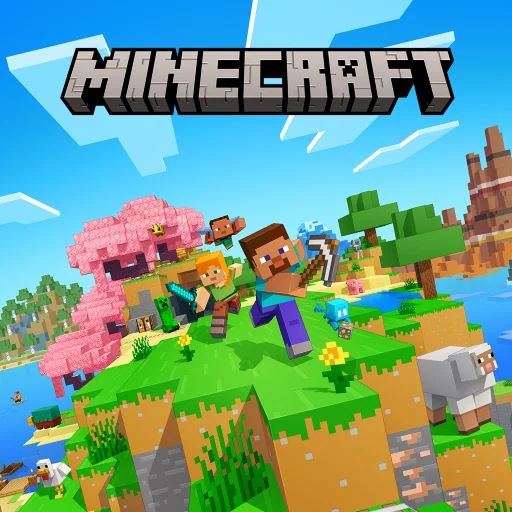
Minecraft: Dream it, Build it!
4.3
- Category
- Arcade
- Platform
- Android
- Rating
- 4.3 / 5
- Installs
- 50M+
- Age
- Everyone 10+
- Developer
- Mojang
- Updated
- Sep 25, 2026
- Size
- Varies by device
Game Description
Source: Google Play. Checked 2026-10-24. Store-user rating, not an OOZGM test score. Availability and pricing can change.
Minecraft is built around blocks that can be collected, placed and combined into structures or tools. In Creative mode, abundant resources let the player focus on design. Survival adds the work of gathering, preparing and responding to danger. The two modes share a visual language but can feel like entirely different reasons to open the game.
The mobile edition also connects to a broader Bedrock multiplayer ecosystem. That makes it possible to share projects, but a public server, a friend’s world and a paid hosted Realm are different arrangements. Check the requirements of the specific arrangement you want instead of assuming every multiplayer option is included in the initial purchase.
Official external links. OOZGM does not host game files or APKs. Check device compatibility and current price before installing.
Screenshots
Images supplied by the developer through the official store listing.
Recommended Games











How To Play
- Choose Creative for unrestricted building or Survival for gathering resources and responding to danger.
- In Survival, gather materials and make tools and shelter; in Creative, select blocks and lay out a small structure.
- Expand the project through exploration or construction, keeping a recognizable route back to the place you started.
Before you install
A good fit: Players who like inventing their own goals, building persistent projects and learning through experiments with materials.
Consider: Public servers, paid hosted worlds and Marketplace purchases add separate decisions; local world backups deserve attention before a device change.
Start with a project small enough to finish
A world with few explicit limits can leave a beginner unsure what to do. Choose a compact objective: build a house with a window, make a small garden or connect two places with a path. Finishing something visible teaches the relationship between materials, scale and movement more clearly than collecting random blocks without a destination.
In Survival, the same principle applies to preparation. A shelter and a basic supply of tools give the next expedition a purpose. Before digging deeper or traveling farther, think about how you will return and what happens if the attempt goes badly. That planning is part of the game rather than time spent outside it.
Protect the world you care about
A long-running build can become more valuable than the app itself. Learn the available world export, backup and account options before changing devices. Do not assume that signing into an account automatically protects every locally stored world. The correct method depends on how and where that world is hosted.
For family play, choose the social setting deliberately. Building with known friends is a different experience from joining a public community with unfamiliar rules and chat. Marketplace packs are optional additions to a large creative system, so test the basic tools before buying a collection of extras. Minecraft is strongest when the player’s own project provides the motivation.
Original OOZGM editorial analysis · AI-assisted and based on official listing evidence; no hands-on test is claimed. Our method · Report a correction.